
A DayZ Community Hosting Deer Isle and Bitterroot PVE-only servers
Our DayZ community is dedicated to providing a fun and welcoming environment for players who enjoy survival gameplay.
Whether you're new to the game or a seasoned veteran, there's a place for you here.
Track your progress with our experience points system and compete with others on our leaderboard to see who rises to the top.
Join us on Discord to get the latest updates, connect with other players, and receive support from our admin team.
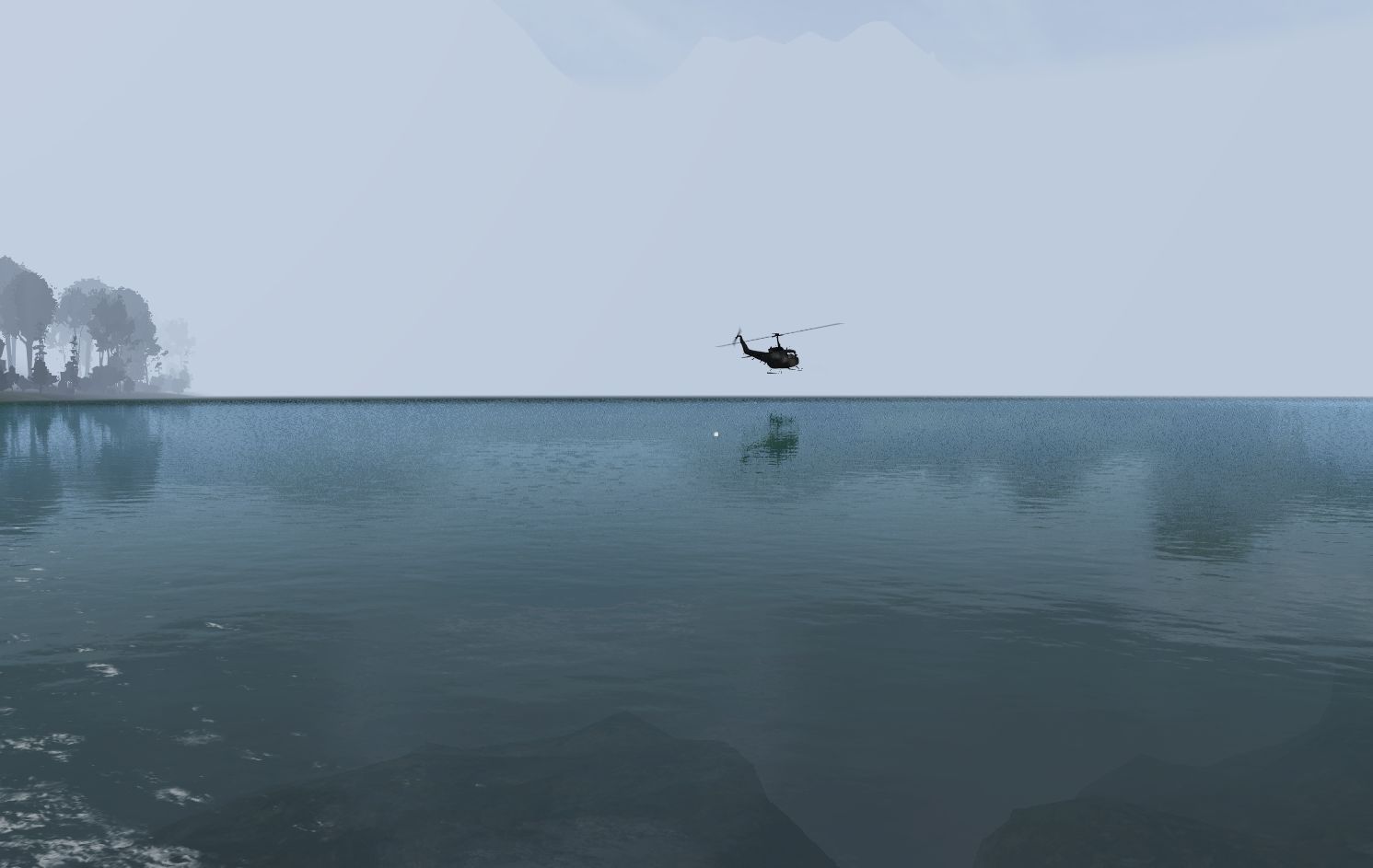
Click the image to close it
The Network began in 2021 as a group of players that met on public DayZ servers such as IL2-14. We began to share information and built an alliance on that.
Since then, we have been hosting our own servers based on the idea that we help each other whenever possible.
The Network may have started as a few players on official DayZ servers and finding they worked well together with similar goals and shared ideals,
but The Network has grown beyond that.
The original founding members were: BelowReality, Druid, Froscher, Knuckle, LeetBeef, Longshot, Quirk, Shellback, Stephalaughagus and Zee
The Network has hosted numerous servers with various game styles including PVE, PVP and everything in between. We are currently hosting two PVE servers.
We have a Bot in our discord server that feeds events from the game into a dedicated Bot channel for each server.
Depending on the type of server, the bot lets everyone know when a player connects, disconnects, gets attacked, or dies. If you die the bot shows the exact location so that someone can help you retrieve your gear.
All players are welcome to join the discord server where you can see these messages.
The Network Bitterroot PVE Helicopters Vehicles Noobs Welcome
Address: 66.55.142.50:2302
This server is PVE (Player vs Environment) and no PVP (Player vs Player) is allowed.
It is intended to be a relaxing environment where you don't have to worry about other players killing you or having your base raided.
Other than the mods, the server settings are similar to what you would find on a vanilla server. We don't have auto-run, unlimited stamina and other settings that 'un-train' you.
The Traders do NOT sell food or drink! This is a survival based server. You must fish, hunt, farm or loot to find food.
Server Features:
- There is a trader camp.
- Traders do NOT SELL food. See FAQ for more about this.
- You can earn cash by selling loot at the trader. Weapons are valuable and abundant. You can also make money by selling vegatables that you grow, fish and animal hides.
- You can get good loot from zombie hordes.
- There is a roaming Black Market Trader that sells modded vehicles and helicopters. The location of the BM trader changes with each server restart.
The items that are available for sale at the BM trader also changes with each server restart.
- Helicopters can be damaged by gunfire but NOT BY COLLISION with trees, buildings or the ground. Hard landings will NOT cause damage.
- There are NO dynamic contaminated zones. There are no artillery strikes.
- There ARE static contaminated zones that require a full NBC suit.
- Zombie hordes spawn at random locations on the map. When you find one be sure to kill them and check their loot. They can have important gear. There can be up to three hordes on the map at any given time.
- Air Drops happen every 90 minutes. Watch for the warning messages about them. They contain ammo, building supplies and other necessities but not weapons.
Server History: This server was launched with Deer Isle on the 29th of May in 2022 and had only been wiped once since then, in April of 2024.
On the 22 of October, 2024 the server was changed to Bitterroot due to Deer Isle being removed from Steam.
On November 26th 2025 The server was wiped due to a major update to Rag Baseitems. Parked Vehicles and ATM cash were retained.
This server has a roaming Black Market Trader whos location changes each time the server restarts.Currently it is located at or near Red Lodge.
| Current Players | | | Player Name | Connected | Duration |     | XXCO1NXX | 2026-06-30 08:01:12 | 04:33:59 |
   | OldGuy | 2026-06-30 11:35:29 | 00:59:42 |
  | saucy (2) | 2026-06-30 11:12:49 | 01:22:22 |
 | Survivor | 2026-06-30 10:45:42 | 01:49:29 |
|
In-Game Chat:
2026-06-30
11:31 AM: [OldGuy] problems?
11:31 AM: [FrightFang] it wasn't letting me join earlier
11:31 AM: [XXCO1NXX] ok couldnt get in last night wrong pass
11:31 AM: [OldGuy] we did have an internet outage yesterday
11:31 AM: [XXCO1NXX] ok
11:31 AM: [OldGuy] brb
11:32 AM: [Bot] OldGuy left
11:35 AM: [Bot] OldGuy joined
11:36 AM: [OldGuy] server working
11:36 AM: [FrightFang] yay!
12:02 PM: [FrightFang] logging off for now. gotta finish some stuff up for the day
12:02 PM: [saucy] have fun!
12:02 PM: [OldGuy] 'k
12:02 PM: [FrightFang] bye bye
12:02 PM: [XXCO1NXX] cheers
12:03 PM: [OldGuy] is planting working now?
12:03 PM: [Bot] FrightFang left
12:03 PM: [OldGuy] gardening
12:03 PM: [saucy] yep
12:03 PM: [OldGuy] cool
The Network DeerIsle PVE Helicopters Vehicles Noobs Welcome
Address:149.56.28.31:2542
This server is PVE (Player vs Environment) and no PVP (Player vs Player) is allowed.
Server Features:
- There are three trader camps.
- Traders do NOT SELL food. See FAQ for more about this.
- The primary way to earn cash is to find weapons and sell them. You can find weapons all around the map. You can also make money by selling vegatables that you grow, fish and animal hides.
Hunting Radioactive Bears and Wolves is very lucrative, but also highly dangerous.
- You can get good loot from zombie hordes.
- Helicopters can be damaged by gunfire but NOT by collision with trees, buildings or the ground. Hard landings will NOT cause damage.
Damage is cumulative, meaning getting small amounts of damage adds up until the helicopter is eventually ruined.
- There are NO dynamic or static contaminated zones. There are no artillery strikes.
- Zombie hordes spawn at random locations on the map. When you find one be sure to kill them and check their loot. They can have important gear. There can be up to three hordes on the map at any given time.
- Air Drops happen every 60 minutes. Watch for the warning messages about them. They contain ammo, building supplies and other necessities but not weapons.
- Survivor Missions spawn all over the map. There are several different mission scenarios - some more difficult than others. Get a radio and tune it to 99.7 for instructions. The missions usually have very good loot that you can either use or sell for cash.
Server History:
- The server was initially launched in July 2024 with the Alteria map.
- On July 31st it was switched to Bitterroot.
- On September 27 it was switched to the Deadfall map.
- On November 22 it was shut down to be converted to Livonia.
- On November 30 it was re-launched with Livonia.
- On February 26 2025 it was re-launched with Deer Isle.
- On November 26th 2025 The server was wiped due to a major update to Rag Baseitems. Parked Vehicles and ATM cash were retained.
This server has a roaming Black Market Trader whos location changes each time the server restarts.Currently it is located at or near Stonington.
There are no players in game at this time
In-Game Chat:
2026-06-29
06:00 PM: [Bot] FieldJacket left
07:57 PM: [Bot] ACGuy left
08:14 PM: [Bot] KNUCKLE joined
08:30 PM: [Bot] KNUCKLE left
11:01 PM: [Bot] Paul2000 joined
11:36 PM: [Bot] Strangecraft joined
11:37 PM: [Bot] Paul2000 left
11:55 PM: [Bot] Strangecraft left
2026-06-30
12:08 AM: [Bot] ACGuy joined
12:51 AM: [Bot] Strangecraft joined
01:22 AM: [Bot] ACGuy left
01:42 AM: [Bot] Strangecraft left
06:17 AM: [Bot] Magicmerve joined
06:39 AM: [Bot] Magicmerve left
06:47 AM: [Bot] Magicmerve joined
07:06 AM: [Bot] Magicmerve left
08:04 AM: [Bot] Sea Dog joined
08:15 AM: [Bot] Sea Dog left
09:19 AM: [Bot] Porky joined
10:22 AM: [Bot] Porky left
Rules for Bitterroot Server
Spam, Advertising, Promoting of any kind is forbidden without first obtaining permission from an Admin.
Joining the server to raise the base flag then leaving without playing is NOT ALLOWED.
Exploits of any kind are considered cheating and are strictly forbidden.
Don't stack fences or towers higher than necessary
Do not build bridges or any other structure intended to bypass or circumvent any map features.
Multiple garden plots are NOT allowed. One per base/flag radius.
Do NOT build a flag pole - or anything else - within 500 meters of ANY other flag or player base
If one flag won't protect your base, make your base smaller. Do NOT place a second flag to extend the flag coverage.
Do not take items from donation barrels/stands for the purpose of selling them at the Trader.
Do NOT raise flags that do not belong to you or someone that you share a base with.
Don't build at/near Military Bases (500 meters minimum)
Don't block access to roads, wells, fuel pumps etc
Clean up papers and other unwanted items at the traders. Use the fire barrel to dispose of anything you don't intend to keep or sell.
Don't build your base at or near areas that are used by all players.
Don't build at/near traders (500 meters minimum)
Do not place any persistent object at or near traders (500 meters minimum). This includes tents, barels, fireplaces etc.
Do not leave vehicles at the trader when you log off. Unattended vehicles will be removed.
Don't build at/near any POI (Point Of Interest) (500 meters minimum)
Shooting/attacking/killing any player is NOT allowed BUT there are exceptions.
In the interest of fairness to new players, only ONE vanilla vehicle per player will be allowed.
You may use deadly force to defend your base from being raided, vehicles being stolen or to defend yourself.
Don't take items from vehicles, helicopters, boats etc. that have been collected by another player.
Stealing boats or helicopters is FORBIDDEN. If you didn't buy it, don't take it!
Base Raiding is NOT Allowed!
Taking the flag from a flagpole that does not belong to you is STRICTLY forbidden.
Rules for Deer Isle Server
Spam, Advertising, Promoting of any kind is forbidden without first obtaining permission from an Admin.
Joining the server to raise the base flag then leaving without playing is NOT ALLOWED.
Exploits of any kind are considered cheating and are strictly forbidden.
Don't stack fences or towers higher than necessary
Do not build bridges or any other structure intended to bypass or circumvent any map features.
Multiple garden plots are NOT allowed. One per base/flag radius.
Do NOT build a flag pole - or anything else - within 500 meters of ANY other flag or player base
If one flag won't protect your base, make your base smaller. Do NOT place a second flag to extend the flag coverage.
Do not take items from donation barrels/stands for the purpose of selling them at the Trader.
Do NOT raise flags that do not belong to you or someone that you share a base with.
Don't build at/near Military Bases (500 meters minimum)
Don't block access to roads, wells, fuel pumps etc
Clean up papers and other unwanted items at the traders. Use the fire barrel to dispose of anything you don't intend to keep or sell.
Don't build your base at or near areas that are used by all players.
Don't build at/near traders (500 meters minimum)
Do not place any persistent object at or near traders (500 meters minimum). This includes tents, barels, fireplaces etc.
Do not leave vehicles at the trader when you log off. Unattended vehicles will be removed.
Don't build at/near any POI (Point Of Interest) (500 meters minimum)
Shooting/attacking/killing any player is NOT allowed BUT there are exceptions.
In the interest of fairness to new players, only ONE vanilla vehicle per player will be allowed.
You may use deadly force to defend your base from being raided, vehicles being stolen or to defend yourself.
Christmas Trees: Clean up wrapping paper and unwanted loot. Do not loot cycle Christmas Trees. Exploiting strictly forbidden.
Don't build at/near the Racetrack (500 meters minimum)
Please leave the Derby cars at the Rockenheim racetrack. Feel free to use them but don't drive away with them. They are for racing events and will periodically despawn.
Do not kill radioactive animals with vehicles or helicopters. Hitting/running them over is NOT allowed.
Do not deploy anything at Temple Island or at/near the Ice Crypt. This includes but is not limited to tents, lockers or other storage, base building kits, fence kits etc.
Base Raiding is NOT Allowed!
Taking the flag from a flagpole that does not belong to you is STRICTLY forbidden.
Stealing vehicles or helicopters is FORBIDDEN. If you didn't buy it, don't take it!
Don't take items from vehicles, helicopters, boats etc. that have been collected by another player.
in the interest of fairness to new players, only ONE vanilla vehicle per player will be allowed. And when a player owns a modded vehicle, they may no longer keep the vanilla vehicle and must destroy it or transfer it to a player that doesn't have one.
If you are one of a group of players, each player should assign their own key to their own vehicle rather than one player owning multiple vehicles.
Bitterroot FAQ
Are there any vehicles available that I don't have to buy?
You can find vanilla vehicles such as Ada, Sarka, Olga, Gunter M3S truck and Humvee. Usually they will be missing parts that you will either have to find or purchase from the trader.
How did you know my character died?
We have a discord bot that reports events such as when a player dies. It also shows the location so that other players can help you retrieve your gear.
How do I build a cabin?
Craft a kit using 10 planks and 50 nails. Place the cabin kit where you want to build the cabin. Add all materials (Nails: 99, Planks: 100, Logs: 50, Stones: 32) to the kit after it has been placed. Build with hammer.
How do I chat in game?
The default in-game chat is the Enter key. Use Z to switch between local and global. When your text is yellow, everyone on the server will see it.
How do I get a helicopter?
Buy one from the helicopter trader. The cheapest heli costs 60,000.
How do I get cash to buy things?
Collect loot and bring it to the trader to sell. Books, vehicles, animal meat and pelts can also be sold.
How do I open an Air Drop?
You don't open them. If you find an active air drop, there will be loot scattered around it. If you don't see any loot then it's an old-inactive drop.
How do I view the map?
Press M to view the map. You can double click the map to place a marker. Only you can see the markers.
How long after I die before my corpse despawns with me gear?
CleanupLifetimeDeadPlayer = 3600 seconds, or one hour.
I lost the key to my car. What can I do?
An Admin can reset your vehicle. Ask for help in-game or in Discord. When we see your message someone will help.
Why can't I buy nails, sheet metal or food from a trader?
Buying those items from the trader makes lazy players! Get out there and loot. Also, making these items more challenging to find encourages trading with other players.
Why can't I find nails or sheet metal?
Nails and sheet metal can be found in the same places that you would find them on any vanilla server. Try sheds, garages and out houses. Sometimes they can be found in air drops too.
Why doesn't this server have auto-run?
We try to make the server feel like DayZ. When you get used to autorun, it makes it harder to play on official servers where you will never find autorun.
Why doesn't this server have unlimited stamina?
Same answer as with autorun. It makes it too easy and takes away from the DayZ experience. When you play here you won't be 'un-trained' like you will be on some other servers.
Why is loot so hard to find?
It's not! The loot settings are very similar to what you would find on an official vanilla server. If you're not finding good loot then go into tougher parts of the map.
Why is my name Survivor? How do I change that?
Do NOT change it in the game settings where it says RENAME. You must change it in the LAUNCHER. Click on Parameters on the left side, then enter a Profile Name. Make sure the box is checked. The name will take effect next time you join a server.
How do I get money?
You begin with 1k in your bank account. Earn cash by selling loot at the trader. Fishing and selling the fish, looting and selling the loot, Survivor missions and Air drops. Zombies in hordes carry cash. The better loot is worth more cash. Sell weapons.
What is the purpose of the books I'm finding? Do they have a purpose or any value?
The books are collectable items and have no purpose other than to either collect or sell at the Black Market trader. Check the website to see if thre is a book collecting challenge going on.
Where are the ATMs?
ATMs are at the Centerville trader. The map will show you where.
Deer Isle FAQ
Are there any vehicles available that I don't have to buy?
You can find vanilla vehicles such as Ada, Sarka, Olga, Gunter M3S truck and Humvee. Usually they will be missing parts that you will either have to find or purchase from the trader.
How did you know my character died?
We have a discord bot that reports events such as when a player dies. It also shows the location so that other players can help you retrieve your gear.
How do I build a cabin?
Craft a kit using 10 planks and 50 nails. Place the cabin kit where you want to build the cabin. Add all materials (Nails: 99, Planks: 100, Logs: 50, Stones: 32) to the kit after it has been placed. Build with hammer.
How do I chat in game?
The default in-game chat is the Enter key. Use Z to switch between local and global. When your text is yellow, everyone on the server will see it.
How do I get a helicopter?
Buy one from the helicopter trader. The cheapest heli costs 60,000.
How do I get cash to buy things?
Collect loot and bring it to the trader to sell. Books, vehicles, animal meat and pelts can also be sold.
How do I open an Air Drop?
You don't open them. If you find an active air drop, there will be loot scattered around it. If you don't see any loot then it's an old-inactive drop.
How do I view the map?
Press M to view the map. You can double click the map to place a marker. Only you can see the markers.
How long after I die before my corpse despawns with me gear?
CleanupLifetimeDeadPlayer = 3600 seconds, or one hour.
I lost the key to my car. What can I do?
An Admin can reset your vehicle. Ask for help in-game or in Discord. When we see your message someone will help.
Why can't I buy nails, sheet metal or food from a trader?
Buying those items from the trader makes lazy players! Get out there and loot. Also, making these items more challenging to find encourages trading with other players.
Why can't I find nails or sheet metal?
Nails and sheet metal can be found in the same places that you would find them on any vanilla server. Try sheds, garages and out houses. Sometimes they can be found in air drops too.
Why doesn't this server have auto-run?
We try to make the server feel like DayZ. When you get used to autorun, it makes it harder to play on official servers where you will never find autorun.
Why doesn't this server have unlimited stamina?
Same answer as with autorun. It makes it too easy and takes away from the DayZ experience. When you play here you won't be 'un-trained' like you will be on some other servers.
Why is loot so hard to find?
It's not! The loot settings are very similar to what you would find on an official vanilla server. If you're not finding good loot then go into tougher parts of the map.
Why is my name Survivor? How do I change that?
Do NOT change it in the game settings where it says RENAME. You must change it in the LAUNCHER. Click on Parameters on the left side, then enter a Profile Name. Make sure the box is checked. The name will take effect next time you join a server.
Are you accepting donations for this server?
Yes! Click the Donate button at the bottom of this page.
How do I get a boat?
Vanilla boats spawn around the map. They are free.
I found a [S.T.A.G. Quantum Isolation Sphere - Sample X65] - what the hell is that?
It is a key component of the Deer Isle Quest. For more details check the Information Library.
I found a [S.T.A.G. Quantum Isolation Sphere - Sample Z42] - what is the purpose of it?
Toss it and find out.
I was attacked by a weird smoke monster. WTF was that?
That was the Deer Isle demon also known as the smoke monster. It appears randomly mostly at night.
What is the purpose of the books I'm finding? Do they have a purpose or any value?
The books are collectable items and have no purpose other than to either collect or sell at the Black Market trader. Check the website to see if thre is a book collecting challenge going on.
Deer Isle only: There are 12 books that are part of the Deer I
Where are the ATMs?
ATMs are at the Groots Hill, Georgestown and Moutainville traders. The map will show you where.
Why am I not able to park my vehicle in the garage?
Vanilla vehicles are not allowed to be parked. This is to prevent hording them and keep them available for new players. Also when a vanilla vehicle is parked a new one spawns in its place. So parking them does nothing to help the load on the server.
Bitterroot Vehicles
This is a list of Vanilla vehicles that are not owned by anyone and are free to be claimed. They are known to exist at these locations as of a few minutes ago, though they may have been moved or deleted since. |
|
Deer Isle Vehicles
This is a list of Vanilla vehicles that are not owned by anyone and are free to be claimed. They are known to exist at these locations as of a few minutes ago, though they may have been moved or deleted since. |
|
All
- 1) Abandoned Base Policy
- 2) Advertise our Servers
- 3) All About Vehicles
- 4) Armed Forces Flags
- 5) Base Alerts
- 6) Book Collecting
- 7) Building too close
- 8) Despawning Interval
- 9) Donations
- 10) Exploits and Cheating
- 11) Helicopter Capacities
- 12) How Badges Are Assigned
- 13) How the Armbands Work
- 14) How XP is Calculated
- 15) Knowledge Quiz
- 16) Mod Updates
- 17) Requesting a new mod
- 18) Roaming Black Market Trader
- 19) Server Details
- 20) Trader Etiquette
- 21) Using Vehicles For Storage
- 22) Vehicle despawn policy
- 23) Virtual Garage
Deer Isle
- 24) Deer Isle Quest Part 1 - Temple
- 25) Deer Isle Quest Part 2 - Crypt
- 26) Deer Isle Sidequest
- 27) Radioactive Bears and Wolves
Tutorials
- 28) How to: Build a Cabin
- 29) How to: Build a Flagpole
- 30) How to: change my character
- 31) How to: change my in-game name
- 32) How to: Change your STEAM Name
- 33) How to: Craft a Bear suit
- 34) How to: Craft a Ghillie Suit
- 35) How To: Discord Timestamps
- 36) How to: Link Discord to Player
- 37) How to: Locate a dead player
- 38) How To: RaG Base Building Recipes
- 39) How to: RaG Base Items
- 40) How To: Unable to find the server
- 41) How to: Update Mod
- 42) How to: Use Global Chat
- 43) Ping test
Select a topic from the left
We have an active discord community. When you join the Discord server you will be placed in the #general chat section. There you may discuss anything you wish.
Let us know who you are, since many DayZ players use names that are different from their Discord name. When we have figured out who you are and are confident that you
aren't just here to spam, you will be given additional roles that give you access to our member-only channels.
For each of our servers we have a dedicated text-chat channel and a dedicated Bot channel for the Bot to post information about what is happening on the server.
Feel free to use any of the voice chat channels. Each server has a dedicated voice channel but there are other voice channels that you may use as well.
The Network Discord Server
Donations are gratefully accepted
Both of our servers are funded entirely by player donations. The Deer Isle and Bitterroot servers are hosted by separate providers, so make sure to donate to your preferred server.
Because they are separate the donation links take you to different donation pages with different instructions. You can donate to both if you like!
All funds donated go directly to the server hosting provider. The server owner does not have the ability to use the donations in any other way. Every penny you donate is applied to hosting the DayZ server of your choice.
Important: you will never be asked to contribute - it is completely voluntary. DO NOT send donation funds to any person or using any other link than the ones provided below.
Donations are not accepted by any person or by any means other than the links provided here. If you are contacted by anyone claiming to accept donations or payment of any kind please contact an admin immediately.
Thank you for supporting our game server through your donation! We greatly appreciate your contribution to keeping the servers running.
Please note that all donations are purely voluntary and do not grant any special privileges, in-game advantages, or exclusive items to the donor.
Donations are used solely to support the server's operational costs and improvements. The server owner and the community reserve the right to change the server configuration,
wipe the data and players' progress or discontinue hosting the server at any time if deemed necessary.
Important Points:
- Donations will not result in any unfair advantage or influence on gameplay.
- All players, regardless of donation status, are subject to the same rules and policies.
- Donations are non-refundable and do not entitle you to any specific rewards or special treatment.
We appreciate your support in maintaining a fun and fair gaming experience for everyone!
Everything you need to know about vehicles on our servers
Do not leave vehicles at the trader when you log off. Unattended vehicles will be removed.
Deer Isle ONLY - ATVs: They are part of the Deer Isle mod. They are abundant and spawn around the map just as the vanilla cars and trucks do. You can not buy them or sell them at any Trader.
You can NOT park them in the virtual garage. The reason you can't park them is that they are so plentiful that the server would become overloaded since every parked ATV would immediately be replaced by a freshly spawned ATV.
These ATVs are intended to be used temporarily by new players until they can afford to buy a modded vehicle or helicopter. There are also modded ATVs available at the Trader. Those ATVs have much better storage, they are much faster and
you are able to park those in the virtual garage.
Deer Isle ONLY - Vanilla Vehicles: Gunter, Ada, Olga, Sarka and M3S Truck can be found on the map. These vehicles are rare but they do spawn on the map. You can not buy them or sell them at any Trader.
Like the ATVs, they are also intended to be used temporarily by new players until they can afford to buy a modded vehicle or helicopter.
Do NOT use vehicles for long term storage
When you use vehicles and helis for storage you risk losing not only the vehicle but the contents of the vehicle as well.
Things happen to vehicles in DayZ all the time. Sometimes a simple restart will cause the vehicle to glitch and become ruined.
So please everyone do NOT use vehicles and helicopters for long term storage. If you do, you are accepting the risk that comes with it.
We will not replace items that are lost when a vehicle despawns.
Although the servers are mostly Vanilla and both have Vanilla vehicles, their despawning behavior is much different from what you would find on an official vanilla server.
We use the MuchCarKey mod for its key system as well as controlling their lifespan and despawning characteristics. All vehicles and helicopters behave the same way.
Modded Vehicles such as RAM trucks, Land Rovers and Helicopters can only be purchased from a Trader.
Vanilla vehicles can be found on the map. They are located at the same places as any vanilla server.
You can use the Izurvive map for Deer Isle or Izurvive map for Bitterroot to find their potential spawn locations.
They are free for the taking. If you find one that is not locked and you are able to assign a key to it, then you can claim it. To claim a vehicle simply assign an unused key to the vehicle.
You MUST assign a key to your vehicle within 5 days from the moment it was spawned. All vehicles are deleted in 5 days if no key has been assigned.
This applies to both modded vehicles bought from a trader and vehicles that were found on the map.
It is important to remember that vanilla vehicles despawn 5 days after they were initially spawned on the map - NOT 5 days from when you found it or interacted with it.
Since you have no way of knowing when a vanilla vehicle spawned you should assume that despawning is imminent and you should act quickly to assign a key to it.
Hint: as soon as you reach a trader camp buy a key and carry it with you in case you find a vehicle that you would like to keep.
Summary:
- Any vehicle that does not have a key assigned to it within 5 days from the moment the vehicle is initially spawned will be deleted.
- 7 days from last interaction the vehicle will be deleted if it is left unattended and not parked in the Virtual Garage.
- 45 days from the moment that the vehicle has been parked in a Virtual Garage the vehicle will be deleted unless it has been retrieved within that period.
- Interacting with an unassigned vehicle will NOT prevent it from being deleted in 5 days.
- Vehicles are NOT protected by a base flag. The base flags have absolutely no effect on vehicles.
Keys can be obtained from the Trader. They are FREE. The key is assigned to a vehicle by holding the key in your hand and walking up to the vehicle.
You will see the prompt to assign the key. If you do not see the prompt that means that the vehicle has already been assigned to as key.
After you have assigned a key to your vehicle, bring the key to the Trader camp where you will find a workbench with a grinder on it.
Hold the assigned key in your hand and walk up to the grinder with it. You will see a prompt to make a copy of the key. You can make as many copies as you want.
Virtual Garages can be found at several locations on the map. There is one at the primary Trader and they can also be found at most gas stations.
Using the Virtual Garage is strongly encouraged because of the benefits it offers:
- The lifespan of your vehicle is increased from 7 days to 45 days.
- Food that is stored inside the vehicle does not "age" while the vehicle is parked.
- Your vehicle is protected from theft or any type of damage.
- Your base and the server overall will have less lag because the vehicle is technically not on the server while it is parked.
Other vehicle facts:
- Vanilla vehicles can be damaged due to collision, gunfire, explosions or being submerged in water.
- Helicopters will be damaged by gunfire and will be destroyed if landed in water.
- Helicopters on the Deer Isle server cannot be damaged by collision.
- Helicopters on the Bitterroot server cannot be damaged by collision.
- All vehicles and helicopters can be refueled at a gas pump without having to use a Jerry Can.
- All moded vehicles are purchased and owned by a player. There are NO FREE modded vehicles or helicopters.
- Vanilla vehicles can NOT be bought or sold by the Trader. They can only be found in "the wild".
If you lose your key or can't get into your vehicle for any reason, or if you find a vehicle and need to know who owns it you can ask for assistance from one of one of our admins.
Simply ask for help in-game using Global Chat or you can ask for help in our Discord channel.
A vehicle that has flipped on it's side or upside down can be flipped upright using a standard wrench. Make sure the vehicle is unlocked and in neutral. Walk up to the vehicle with wrench in hand. You will get a prompt to flip the vehicle.
Vehicles that are stuck can be pushed by any player. Make sure the vehicle is unlocked and in neutral. When you walk up to the vehicle you will get a prompt to press F to push (you might need to scroll through the options).
Stealing a vehicle that has been assigned to someone other than yourself is strictly forbidden.
You can be shot for attempting to steal a vehicle, opening doors/trunk or taking its contents without permission from the owner.
Vanilla vehicles can be damaged beyond repair. Crashing many times or even one hard crash can ruin it.
They can also be ruined by driving into water. If you over-rev the engine it can be damaged. Pay attention to the tachometer on the dashboard. If the needle goes into the red
you will damage the spark plug or radiator and eventually the engine itself.
Minor damage can be repaired by using a blow torch. Do not repair vehicles while in the safe zone - it will NOT work.
When a vehicle is ruined it will typically smoke profusely.
Ruined vehicles will despawn very quickly when you leave its vicinity and its contents will be gone. If any player remains near the vehicle it will not despawn.
In the interest of fairness to new players, only ONE vanilla vehicle per player will be allowed.
If you are one of a group of players, each player should assign their own key to their own vehicle rather than one player owning multiple vehicles.
When a player owns a modded vehicle, they may no longer keep the vanilla vehicle and must destroy it or transfer it to a player that doesn't have one.
When you are ready to give up the vehicle, use the key that is assigned to it to unassign that key from the vehicle.
DayZ Types / Display Name Cross Reference
This cross-reference shows the class name as well as the display name.
The display name is the description you see in the game.
The class name is what the game uses internally and must be referenced when making changes to an item
(such as adding to trader, adding to the storage mod, changing loot quantities etc).
So please refer to items using the class name and make sure it exists in the list as this will save a LOT of time.
If class is listed here that does not necessarily mean
that it also exists on the server. V or M indicates Vanilla or Mod.
Wait for dynamic content to load...
Wait for the quiz to load...
Number of hours calculated as total number hours played per player multiplyed by thenumber of players. Similar to the way 'man-hours' would be calculated. |
| The Network Players Monthly | | Year-Month | Deer Isle (pre-wipe) | Deer Isle (after-wipe) | Deadfall | Bitterroot | Livonia | PNW | Deer Isle II |
| 2026-06 | 0.0 | 0.0 | 0.0 | 1703.0 | 0.0 | 0.0 | 261.6 |
| 2026-05 | 0.0 | 0.0 | 0.0 | 2111.9 | 0.0 | 0.0 | 444.3 |
| 2026-04 | 0.0 | 0.0 | 0.0 | 1406.7 | 0.0 | 0.0 | 395.4 |
| 2026-03 | 0.0 | 0.0 | 0.0 | 1852.6 | 0.0 | 0.0 | 526.1 |
| 2026-02 | 0.0 | 0.0 | 0.0 | 1255.7 | 0.0 | 0.0 | 1318.1 |
| 2026-01 | 0.0 | 0.0 | 0.0 | 1103.5 | 0.0 | 0.0 | 1482.1 |
| 2025-12 | 0.0 | 0.0 | 0.0 | 915.9 | 0.0 | 0.0 | 1359.7 |
| 2025-11 | 0.0 | 0.0 | 0.0 | 1048.5 | 0.0 | 0.0 | 1261.4 |
| 2025-10 | 0.0 | 0.0 | 0.0 | 594.2 | 0.0 | 0.0 | 1585.9 |
| 2025-09 | 0.0 | 0.0 | 0.0 | 333.9 | 0.0 | 0.0 | 855.4 |
| 2025-08 | 0.0 | 0.0 | 0.0 | 722.5 | 0.0 | 0.0 | 878.1 |
| 2025-07 | 0.0 | 0.0 | 0.0 | 267.8 | 0.0 | 0.0 | 824.7 |
| 2025-06 | 0.0 | 0.0 | 0.0 | 250.1 | 0.0 | 0.0 | 1197.9 |
| 2025-05 | 0.0 | 0.0 | 0.0 | 217.7 | 0.0 | 0.0 | 1267.6 |
| 2025-04 | 0.0 | 0.0 | 0.0 | 120.4 | 0.0 | 0.0 | 1119.4 |
| 2025-03 | 0.0 | 0.0 | 0.0 | 486.4 | 0.0 | 9.5 | 2040.1 |
| 2025-02 | 0.0 | 0.0 | 0.0 | 703.2 | 278.6 | 706.9 | 249.6 |
| 2025-01 | 0.0 | 0.0 | 0.0 | 2172.8 | 1242.7 | 511.3 | 0.0 |
| 2024-12 | 0.0 | 0.0 | 0.0 | 1867.5 | 1993.1 | 0.0 | 0.0 |
| 2024-11 | 0.0 | 0.0 | 461.3 | 2668.9 | 4.8 | 0.0 | 0.0 |
| 2024-10 | 0.0 | 805.7 | 777.9 | 1201.2 | 0.0 | 0.0 | 0.0 |
| 2024-09 | 0.0 | 1689.5 | 166.8 | 0.0 | 0.0 | 0.0 | 0.0 |
| 2024-08 | 0.0 | 1377.7 | 0.0 | 0.0 | 0.0 | 0.0 | 0.0 |
| 2024-07 | 0.0 | 1857.5 | 0.0 | 0.0 | 0.0 | 0.0 | 0.0 |
| 2024-06 | 0.0 | 2033.6 | 0.0 | 0.0 | 0.0 | 0.0 | 0.0 |
| 2024-05 | 0.0 | 3354.4 | 0.0 | 0.0 | 0.0 | 0.0 | 0.0 |
| 2024-04 | 0.0 | 3366.4 | 0.0 | 0.0 | 0.0 | 0.0 | 0.0 |
| 2024-03 | 1040.3 | 440.0 | 0.0 | 0.0 | 0.0 | 0.0 | 0.0 |
| 2024-02 | 1773.7 | 0.0 | 0.0 | 0.0 | 0.0 | 0.0 | 0.0 |
| 2024-01 | 2184.3 | 0.0 | 0.0 | 0.0 | 0.0 | 0.0 | 0.0 |
| 2023-12 | 2407.1 | 0.0 | 0.0 | 0.0 | 0.0 | 0.0 | 0.0 |
| 2023-11 | 2895.8 | 0.0 | 0.0 | 0.0 | 0.0 | 0.0 | 0.0 |
| 2023-10 | 2455.2 | 0.0 | 0.0 | 0.0 | 0.0 | 0.0 | 0.0 |
| 2023-09 | 2068.5 | 0.0 | 0.0 | 0.0 | 0.0 | 0.0 | 0.0 |
| 2023-08 | 1847.3 | 0.0 | 0.0 | 0.0 | 0.0 | 0.0 | 0.0 |
| 2023-07 | 2784.0 | 0.0 | 0.0 | 0.0 | 0.0 | 0.0 | 0.0 |
| 2023-06 | 1801.0 | 0.0 | 0.0 | 0.0 | 0.0 | 0.0 | 0.0 |
| 2023-05 | 1480.2 | 0.0 | 0.0 | 0.0 | 0.0 | 0.0 | 0.0 |
| 2023-04 | 1841.7 | 0.0 | 0.0 | 0.0 | 0.0 | 0.0 | 0.0 |
| 2023-03 | 1076.8 | 0.0 | 0.0 | 0.0 | 0.0 | 0.0 | 0.0 |
| 2023-02 | 1325.8 | 0.0 | 0.0 | 0.0 | 0.0 | 0.0 | 0.0 |
| 2023-01 | 2083.4 | 0.0 | 0.0 | 0.0 | 0.0 | 0.0 | 0.0 |
| 2022-12 | 1364.9 | 0.0 | 0.0 | 0.0 | 0.0 | 0.0 | 0.0 |
| 2022-11 | 748.7 | 0.0 | 0.0 | 0.0 | 0.0 | 0.0 | 0.0 |
| 2022-10 | 712.2 | 0.0 | 0.0 | 0.0 | 0.0 | 0.0 | 0.0 |
| 2022-09 | 933.2 | 0.0 | 0.0 | 0.0 | 0.0 | 0.0 | 0.0 |
| 2022-08 | 1159.1 | 0.0 | 0.0 | 0.0 | 0.0 | 0.0 | 0.0 |
| 2022-07 | 0.9 | 0.0 | 0.0 | 0.0 | 0.0 | 0.0 | 0.0 |
| 2022-01 | 0.0 | 0.0 | 0.0 | 0.0 | 0.0 | 0.0 | 0.0 |
|


